
 By Recharge Info hub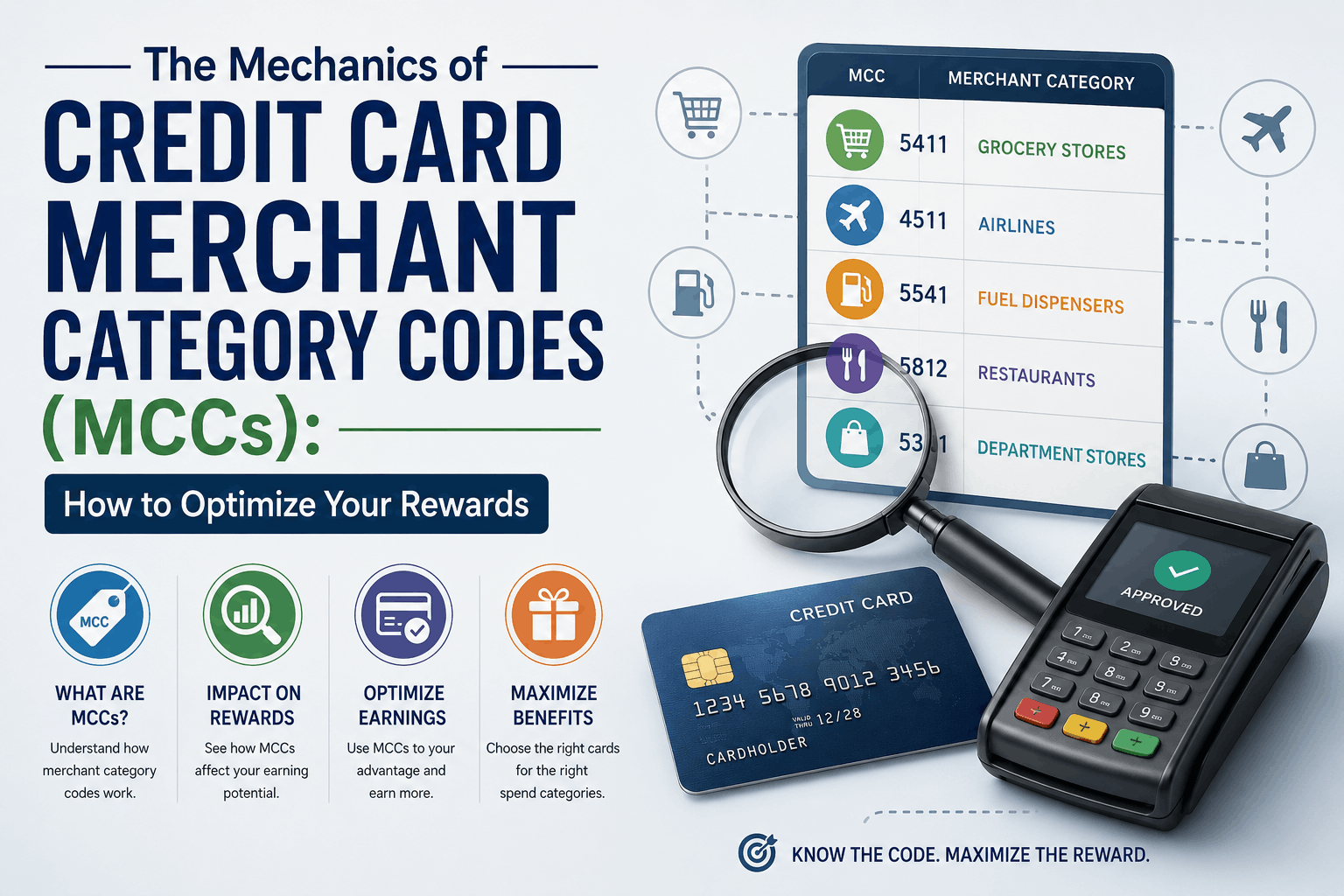
While credit card issuers spend millions marketing their 5% cashback categories, travel reward multipliers, and co-branded perks, the actual execution of these rewards relies on an invisible, four-digit classification system. Every time you swipe, tap, or enter your credit card online, a backend system translates the transaction through a Merchant Category Code (MCC). Understanding how these codes work is the ultimate secret to unlocking maximum rewards and avoiding missed cashback opportunities.
For many credit card enthusiasts, there is nothing more frustrating than making a large purchase expecting a high-yield reward, only to find it earned a measly 1% baseline rate. This discrepancy occurs because of how the merchant is classified within the payment processing ecosystem. In this comprehensive guide, we will break down the mechanics of Merchant Category Codes, how payment processors assign them, and the strategies you can use to optimize your spending and ensure you never leave rewards on the table.
What is a Merchant Category Code (MCC)?
A Merchant Category Code (MCC) is a four-digit number assigned to a business by credit card processors (such as Visa, Mastercard, American Express, and Discover) when the business first begins accepting card payments. Established under the international standard ISO 18245, these codes classify businesses by the type of goods or services they primary provide.
For example, a business classified as a grocery store might be assigned MCC 5411, while a fast-food restaurant might be assigned MCC 5814. These codes serve several operational purposes for financial institutions, including:
- Reward Calculation: Determining whether a transaction qualifies for category-specific bonus points or cashback.
- Tax Reporting: Identifying transactions that must be reported to tax authorities (such as the IRS in the United States or equivalent global authorities) for service-provider payments.
- Surcharge and Convenience Fees: Regulating how certain merchants can assess fees on credit card transactions.
- Risk Management: Helping banks identify high-risk industries or unusual spending patterns to prevent fraud.
How Credit Card Issuers Use MCCs to Calculate Rewards
When you apply for a credit card that offers “4x points on dining” or “6% cashback on supermarkets,” the issuer does not manually look at the name of every shop you visit. Instead, their automated billing system reads the MCC transmitted during the transaction. If the code matches the issuer’s predefined list for that reward category, the bonus is applied. If the code does not match, the transaction defaults to the standard base rate (usually 1% or 1x point per dollar).
Because of this automation, the physical reality of what you purchased matters far less than how the merchant is registered. If you buy a gourmet sandwich at a boutique grocery store, the transaction will likely code as “Grocery” (earning grocery rewards), not “Dining.” Conversely, if you buy groceries at a pharmacy, the transaction will code as “Drugstore,” missing out on supermarket bonuses.
The Most Common MCC Traps and Misclassifications
Many cardholders fall victim to classification anomalies. Understanding these common traps can help you adjust your spending habits and choose the right card for each transaction.
1. The Supermarket vs. Wholesale Club and Superstore Dilemma
This is perhaps the most frequent source of confusion. Many high-yield grocery cards explicitly exclude “superstores,” “wholesale clubs,” and “discount stores” from their definition of supermarkets.
- Supermarkets (MCC 5411): Traditional grocery chains (such as Kroger, Safeway, or Aldi) code under this category and trigger maximum rewards.
- Wholesale Clubs (MCC 5300): Warehouses like Costco or Sam’s Club have their own classification. While some cards offer temporary bonuses for wholesale clubs, standard grocery cards will usually yield only baseline rewards here.
- Discount Stores / Superstores (MCC 5310 & 5311): Powerhouses like Walmart and Target are classified as general merchandise or discount stores. Even if you buy 100% organic groceries there, the card network registers the transaction as a department or discount store purchase.
2. Bakeries, Cafes, and Bars: Are They “Dining”?
The “Dining” or “Restaurant” category is highly fragmented. Depending on how the business set up its merchant account, it could be classified under:
- MCC 5812: Eating Places and Restaurants.
- MCC 5813: Drinking Places (Taverns, Cocktail Lounges, Nightclubs).
- MCC 5814: Fast Food Restaurants.
While most dining-focused credit cards reward all three of these codes, some highly specific cards only reward 5812. If you buy a craft cocktail at a high-end lounge that doesn’t serve full meals, it may code under 5813, potentially excluding it from certain dining promotions.
3. Gas Stations vs. Convenience Stores
Gas stations are another high-reward category, but there is a distinction between paying at the pump and buying items inside the station store.
- Automated Fuel Dispensers (MCC 5542): Paying directly at the pump almost always triggers the gas reward category.
- Service Stations / Convenience Stores (MCC 5541): If you pay inside for snacks, car washes, or even fuel, the transaction might code under general convenience stores. Some credit card issuers exclude convenience stores from their gas category rewards.
4. Third-Party Delivery Services and Aggregators
When you use delivery apps like UberEats, DoorDash, or Instacart, the payment goes through an intermediary.
- Food Delivery: Fortunately, major networks have updated their systems, and most dining cards now explicitly recognize major food delivery aggregators as “Dining.”
- Grocery Delivery: Services like Instacart or Shipt can be unpredictable. Depending on the partner store and how the transaction is routed, it may code as “Grocery Delivery Services” rather than a traditional supermarket, which might bypass your card’s grocery multiplier.
The Impact of Payment Processors and Mobile Wallets
How you pay can alter the MCC transmitted to your issuer. Mobile wallets, payment aggregators, and online checkout portals handle transaction data in distinct ways:
Mobile Wallets (Apple Pay, Google Pay, Samsung Pay)
Generally, digital wallets act as secure pipelines and do not alter the underlying MCC. If you use Apple Pay at a grocery store, the transaction will still code as a grocery store, allowing you to earn your standard category rewards. However, some specific merchant terminals might experience routing issues through digital wallets, though this is increasingly rare.
Mobile Point-of-Sale (mPOS) Systems
Small businesses, farmer’s markets, and independent contractors often use mobile card readers like Square, Clover, or PayPal Zettle. Because these systems consolidate many micro-merchants under a single processing umbrella, they sometimes default to generic codes. A local bakery using Square might code as “Miscellaneous Retail” or “Professional Services” instead of “Dining,” preventing you from earning restaurant bonuses.
Online Payment Aggregators (PayPal)
Paying via PayPal can be a double-edged sword. While some credit cards offer rotating 5% bonus categories specifically for PayPal purchases, using PayPal can occasionally mask the merchant’s true MCC. If you pay a merchant through PayPal, the transaction description often reads “PAYPAL *MERCHANT NAME,” which can confuse the credit card issuer’s automated reward system, resulting in a default 1% reward rate.
How to Look Up and Verify MCCs Before Making Large Purchases
If you are planning a major purchase—such as booking a destination wedding venue, buying high-end appliances, or purchasing home renovation materials—it pays to research how the merchant codes before charging thousands of dollars. Here are the best ways to verify an MCC:
- Use the Visa Supplier Locator Tool: Visa provides a public, searchable database of merchants and their associated MCCs. By inputting the merchant’s name and address, you can see exactly how they code on the Visa network.
- Utilize AwardWallet’s Merchant Lookup Tool: This community-driven tool allows users to search for specific merchants to see how they have coded for other cardholders across various networks (Visa, Mastercard, Amex, Chase).
- Perform a “Test Transaction”: If time permits, make a micro-purchase at the merchant (such as buying a $1 item or a gift card) and wait for the transaction to post to your online credit card account. You can then review the transaction details or contact customer service to see exactly which category was applied.
- Inspect Past Statements: Reviewing your historical statements is an excellent way to audit your local haunts. Your statement will typically list the category (e.g., “Entertainment,” “Travel,” “Merchandise”) assigned to each purchase.
Strategic Blueprint: Aligning Your Wallet with MCCs
To maximize your credit card strategy, you should align specific cards with dominant MCC categories. This is often referred to as the “Category King” strategy. Here is how to structure your approach:
| Target Spending Category | Primary MCCs to Target | Ideal Card Type to Deploy |
|---|---|---|
| Dining & Entertainment | 5812, 5813, 5814, 7832 | Cards offering high multipliers on dining, fast food, and streaming services. |
| Supermarket Shopping | 5411 | Dedicated grocery cards (avoid using these at superstores like Target/Walmart). |
| Travel & Transit | 4111, 4112, 4511, 4722, 7011 | General travel rewards cards that broadly define transit (trains, rideshares, tolls). |
| Everyday Non-Category Spend | All other codes (e.g., utilities, medical, tuition) | A flat-rate cashback card (e.g., 2% cash back on all purchases) to capture spend that doesn’t fit a specific multiplier. |
What to Do If a Purchase Codes Incorrectly
If you believe a transaction was misclassified and you missed out on earned rewards, you can take steps to rectify the situation. However, keep in mind that credit card issuers are bound by the data sent by the merchant’s acquiring bank; they cannot manually change a merchant’s MCC on their network.
- Contact Customer Service: For high-value purchases, call the number on the back of your card. Explain the situation politely. If you are a long-standing customer, some issuers may offer a one-time courtesy adjustment of points or statement credits.
- Use a Different Payment Method Next Time: If a local business codes incorrectly, note this in your rewards tracker and switch to a flat-rate reward card for future transactions at that location.
- Provide Feedback to the Merchant: Small business owners are often unaware that their merchant service provider assigned them an incorrect or disadvantageous MCC. Politely mentioning that their classification prevents customers from earning dining or travel rewards can prompt them to contact their acquiring bank for an update.
Frequently Asked Questions (FAQ)
Can a merchant change their MCC?
Yes. A merchant can request a category review from their merchant bank if their business model changes or if they were misclassified during setup. However, this process can take several weeks to resolve.
Do co-branded store cards have unique MCC rules?
Co-branded cards (such as those issued by department stores or airlines) often bypass generic MCC rules when used at the co-branded partner itself, using internal merchant identifiers to guarantee maximum reward rates. However, when used outside of that partner, standard MCC rules apply.
Does the MCC affect credit card security?
Indirectly. Banks use MCCs as part of their fraud-detection algorithms. For instance, if your card is suddenly swiped under a high-risk category code (like a casino or jewelry store) in a different geographic location, it is more likely to trigger an automated fraud alert and temporary account freeze.
Is the MCC the same across Visa, Mastercard, and Amex?
Not always. While the networks generally align on major classifications to remain consistent with ISO standards, they operate independent databases. A merchant might code as a grocery store on Visa but as a general merchandise store on American Express. This is why cross-referencing network tools is valuable for major transactions.
Featured image via Wikimedia Commons (screen), JopkeB (screenshot) — Wikimedia Commons (CC BY-SA 3.0).